> ## Documentation Index
> Fetch the complete documentation index at: https://docs.okatee.com/llms.txt
> Use this file to discover all available pages before exploring further.
# License
> Compare free and licensed features, and activate your Okatee license
## Free vs Licensed
Okatee offers core metadata removal at no cost. A licensed plan unlocks additional capabilities required for professional and commercial use.
| Feature | Free | Licensed |
| ----------------------------------------------------------------------- | :--------------: | :-------------: |
| Metadata removal from supported file types | Up to 10 per day | Unlimited |
| Supported file formats (DOC, DOCX, XLS, XLSX, PPT, PPTX, PDF, JPG, PNG) | Supported | Supported |
| Business and commercial use | | Supported |
| Bulk Clean (multiple files at once) | | Supported |
| Bulk PDF (batch convert to PDF) | | Supported |
| Convert to PDF | | Supported |
| Compression | | Supported |
| Access to the online portal for metadata removal | | Supported |
| Email support (24-hour response time) | | 1 year included |
A license is required for any business or commercial use of Okatee.
## License Activation
Follow these steps to activate your license and unlock the full feature set.
### Step-by-Step Instructions
1. **Pin the Extension to the Toolbar**:
* Click the **puzzle** icon in the Chrome toolbar.
* Find the Okatee extension in the list and click the **pin** icon next to it.
2. **Open the Extension**:
* Click the Okatee extension icon in the browser toolbar.
3. **Navigate to the License Tab**:
* Click the Okatee icon in the toolbar, then select the **License** tab.
4. **Enter Your License Key**:
* Enter your license key (format: `XXXXX-XXXXX-XXXXX-XXXXX-XXXXX`) and the email address used at purchase.
* Click **Activate**.
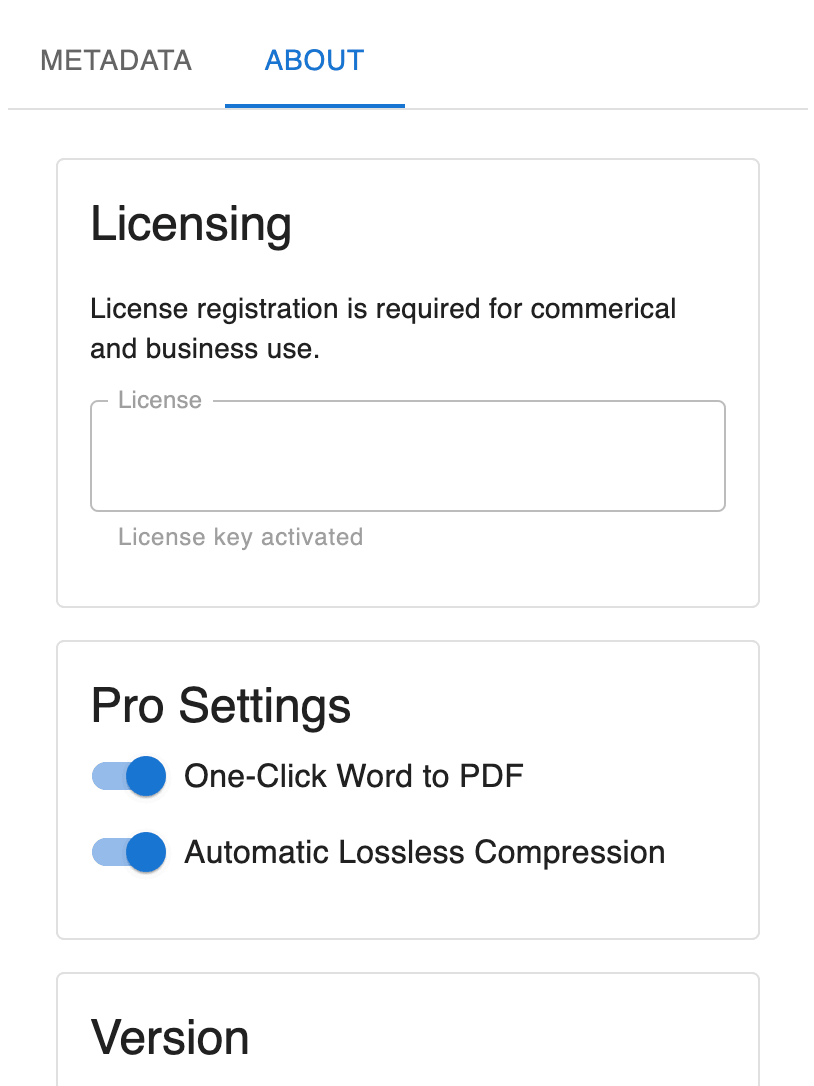 5. **Verify Licensed Features**:
* **Bulk Clean**: Available in the **Batch** tab. Drag and drop multiple files to remove metadata at once, then download the cleaned versions.
* **Bulk PDF**: Available in the **Batch** tab under **Convert to PDF**. Drag and drop Office files to convert them to PDF.
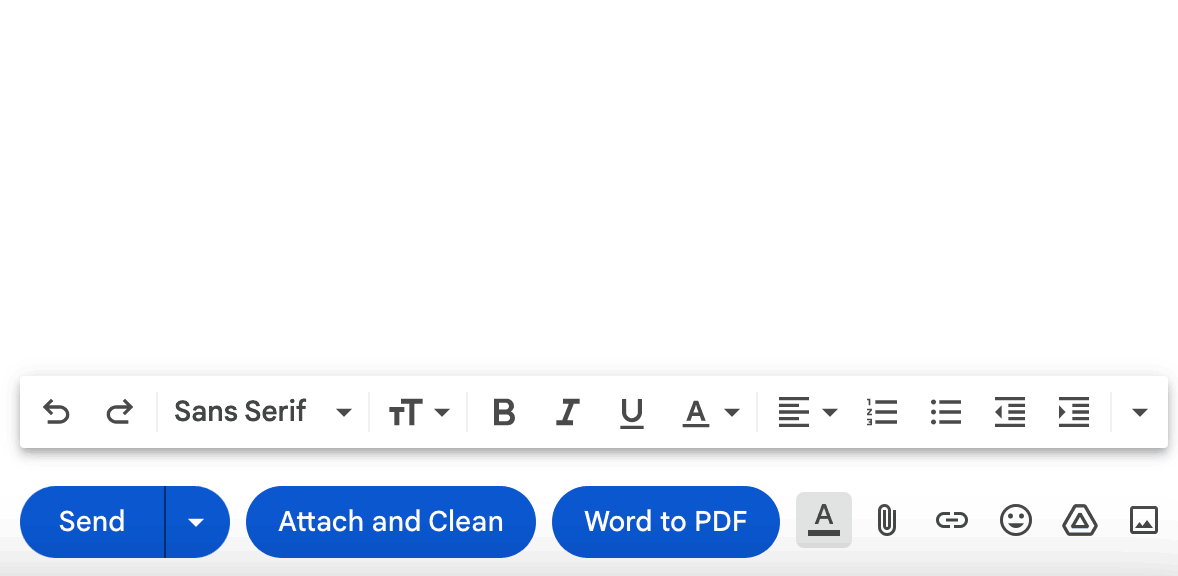
* **Convert to PDF**: Enable in the **Preferences** tab to add a **Convert to PDF** button to Gmail compose windows.
* **Compression**: Automatically compresses documents to reduce file size.
5. **Verify Licensed Features**:
* **Bulk Clean**: Available in the **Batch** tab. Drag and drop multiple files to remove metadata at once, then download the cleaned versions.
* **Bulk PDF**: Available in the **Batch** tab under **Convert to PDF**. Drag and drop Office files to convert them to PDF.
* **Convert to PDF**: Enable in the **Preferences** tab to add a **Convert to PDF** button to Gmail compose windows.
* **Compression**: Automatically compresses documents to reduce file size.
 For a full reference of every setting and batch operation, see the [Settings](/essentials/settings) page.
### Retrieve a Lost License Key
If you have lost your license key, you can retrieve it through the Keyforge license portal. Enter the email address you used at purchase and a portal access link will be sent to you.
Visit [keyforge.dev/portal/request](https://keyforge.dev/portal/request) and enter your email to receive a link to manage your licenses and retrieve your key.
For a full reference of every setting and batch operation, see the [Settings](/essentials/settings) page.
### Retrieve a Lost License Key
If you have lost your license key, you can retrieve it through the Keyforge license portal. Enter the email address you used at purchase and a portal access link will be sent to you.
Visit [keyforge.dev/portal/request](https://keyforge.dev/portal/request) and enter your email to receive a link to manage your licenses and retrieve your key.