> ## Documentation Index
> Fetch the complete documentation index at: https://docs.okatee.com/llms.txt
> Use this file to discover all available pages before exploring further.
# FAQ
> Frequently Asked Questions about Okatee
## FAQ
### What file types does Okatee support?
Okatee supports all modern and legacy Microsoft Office formats, PDF, and common image types:
* **Word**: DOC, DOCX
* **Excel**: XLS, XLSX
* **PowerPoint**: PPT, PPTX
* **PDF**: PDF (including PDF/A)
* **Images**: JPG/JPEG, PNG
See the [Metadata Matrix](/essentials/metadata-matrix) for a detailed breakdown of which metadata fields are removed per format.
### How do I upload files normally, without removing metadata?
Okatee preserves the original Gmail **Attach Files** icon for normal file uploads. Use that button whenever you want to send a file without metadata removal.
### What is the difference between the free and licensed versions?
The free version allows up to 10 metadata cleans per day. A license is required for business or commercial use and unlocks unlimited cleans, bulk clean, bulk PDF, convert to PDF, and compression. See the [License](/essentials/license) page for a full comparison.
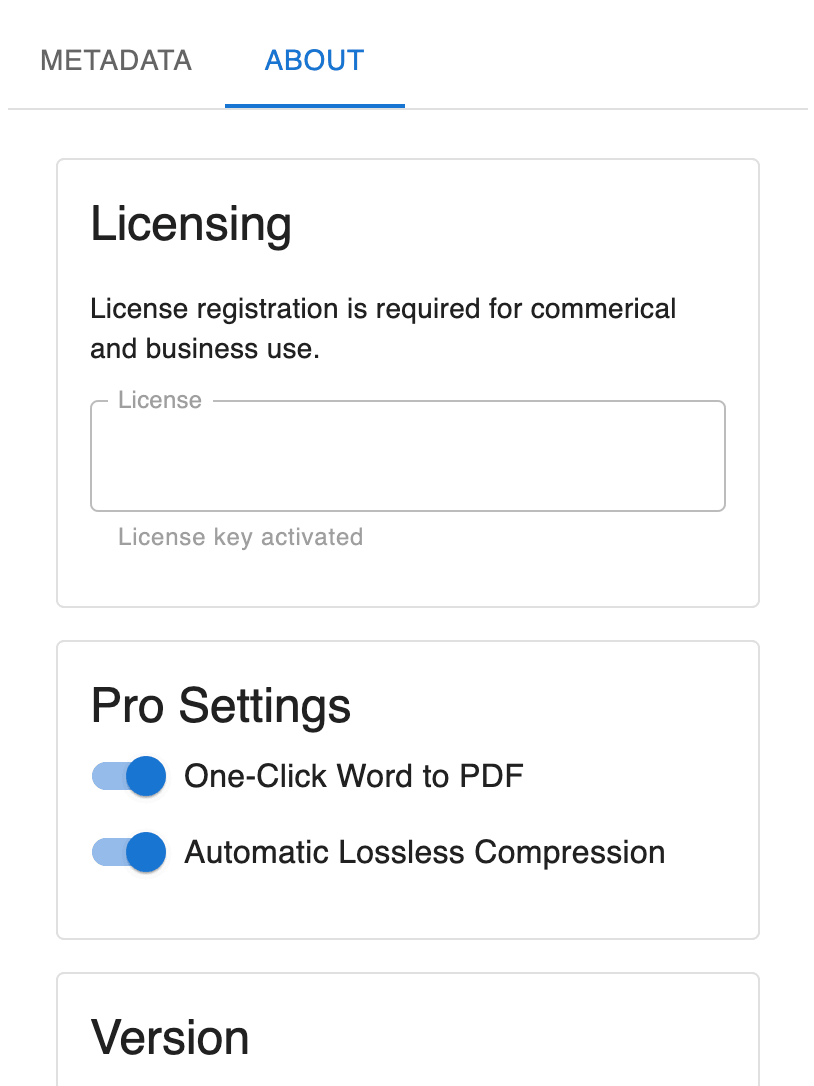
### After I activated my license, I don't see the Convert to PDF feature.
Go to the extension settings and toggle the switches for Convert to PDF. You may need to restart your browser for the changes to take effect.
 ### How do I request additional supported file types and features?
Email [features@okatee.com](mailto:features@okatee.com) with your detailed request.
### How do I get software updates to the Okatee extension?
The Okatee extension updates automatically when a new version is released. These updates will occur daily. Nothing is required on your part.
If you need to update immediately and bypass automatic updates, follow these steps:
1. Navigate to `chrome://extensions` in your browser.
2. Click on **Developer mode** in the top-right corner.
3. Find the Okatee extension and click **Update**.
### I lost my license key. How do I retrieve it?
Visit [keyforge.dev/portal/request](https://keyforge.dev/portal/request) and enter the email address you used when purchasing your license. A portal access link will be sent to your email, allowing you to view and manage all of your licenses.
### License activation issues
Ensure that you have entered the license key exactly as provided in the email. If the problem persists, contact [support@okatee.com](mailto:support@okatee.com).
Check your internet connection and try again. If the issue continues, verify that your license key is valid and not expired.
Ensure that you have the latest version of the Chrome extension installed. Go to the Chrome Web Store and update if necessary.
### How do I request additional supported file types and features?
Email [features@okatee.com](mailto:features@okatee.com) with your detailed request.
### How do I get software updates to the Okatee extension?
The Okatee extension updates automatically when a new version is released. These updates will occur daily. Nothing is required on your part.
If you need to update immediately and bypass automatic updates, follow these steps:
1. Navigate to `chrome://extensions` in your browser.
2. Click on **Developer mode** in the top-right corner.
3. Find the Okatee extension and click **Update**.
### I lost my license key. How do I retrieve it?
Visit [keyforge.dev/portal/request](https://keyforge.dev/portal/request) and enter the email address you used when purchasing your license. A portal access link will be sent to your email, allowing you to view and manage all of your licenses.
### License activation issues
Ensure that you have entered the license key exactly as provided in the email. If the problem persists, contact [support@okatee.com](mailto:support@okatee.com).
Check your internet connection and try again. If the issue continues, verify that your license key is valid and not expired.
Ensure that you have the latest version of the Chrome extension installed. Go to the Chrome Web Store and update if necessary.